How to Manage and Link Analytics in Crezlo?
📊 Manage and Link Analytics in Crezlo
-
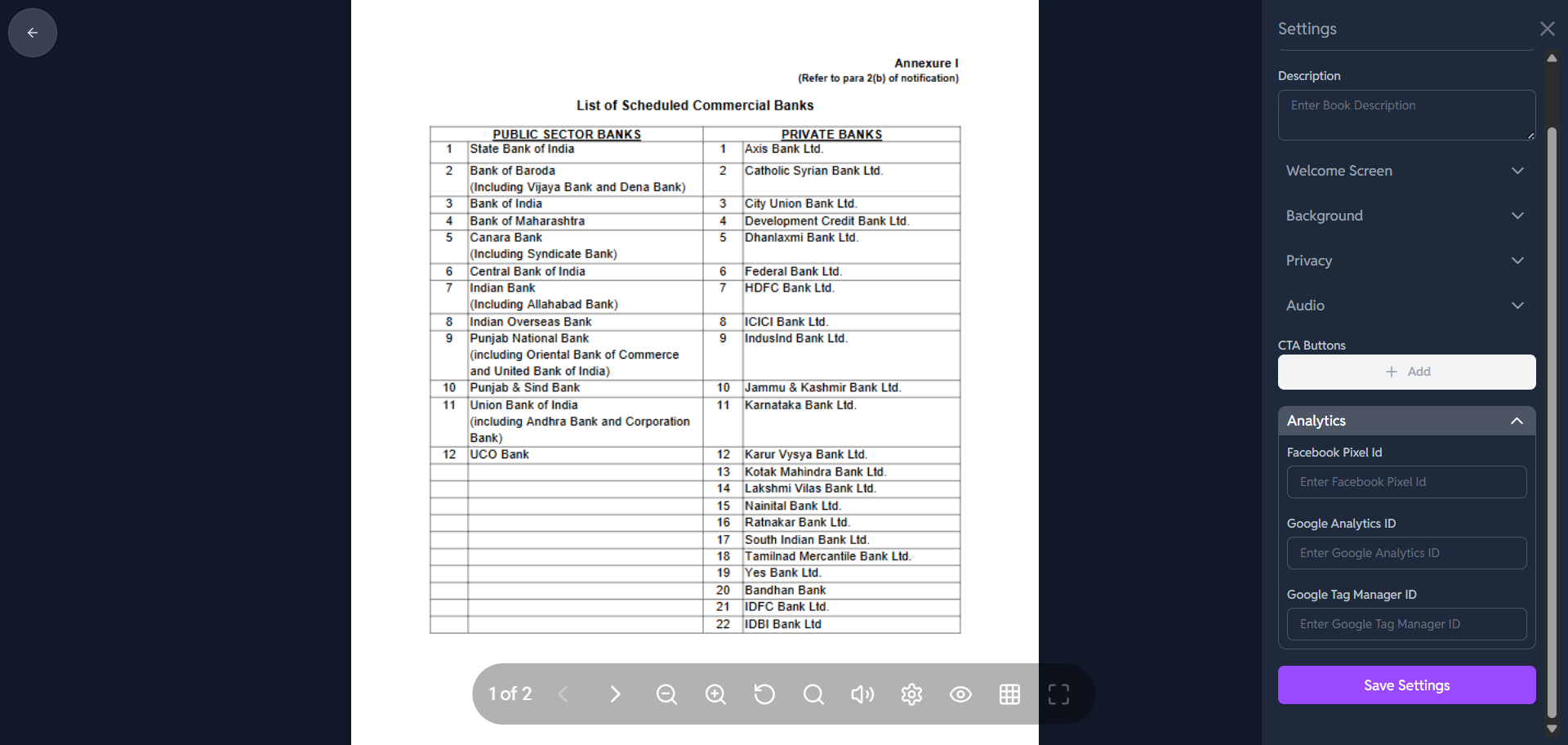
Locate the "Analytics" Section:
- The "Analytics" header is expanded, showing the three integration fields.
-
Connect Facebook Pixel:
-
Facebook Pixel ID: This ID is used to track events and visitor behavior on your flipbook that can be used for targeted Facebook and Instagram advertising.
-
Action: Go to your Facebook Events Manager to find your Pixel ID.
-
Input: Enter the Pixel ID into the field labeled "Enter Facebook Pixel Id".
-
-
Connect Google Analytics:
-
Google Analytics ID: This is a crucial ID (usually starts with
UA-orG-) that sends detailed visitor data (like views, time spent, location, device) to your Google Analytics account. -
Action: Go to your Google Analytics account and find the Measurement ID for the property you want to track the flipbook on.
-
Input: Enter the ID into the field labeled "Enter Google Analytics ID".
-
-
Connect Google Tag Manager (GTM):
-
Google Tag Manager ID: GTM is a system that allows you to manage and deploy various tracking codes (tags) on your flipbook without needing to edit the code directly.
-
Action: Go to your Google Tag Manager account to find your Container ID (starts with
GTM-). -
Input: Enter the Container ID into the field labeled "Enter Google Tag Manager ID".
-
-
Save Your Settings:
- Once you have entered the IDs for the services you use, scroll down and click the purple "Save Settings" button.
Once these IDs are saved, the flipbook will start sending tracking data to your respective Google and Facebook accounts, allowing you to view and analyze your audience's behavior from those platforms.