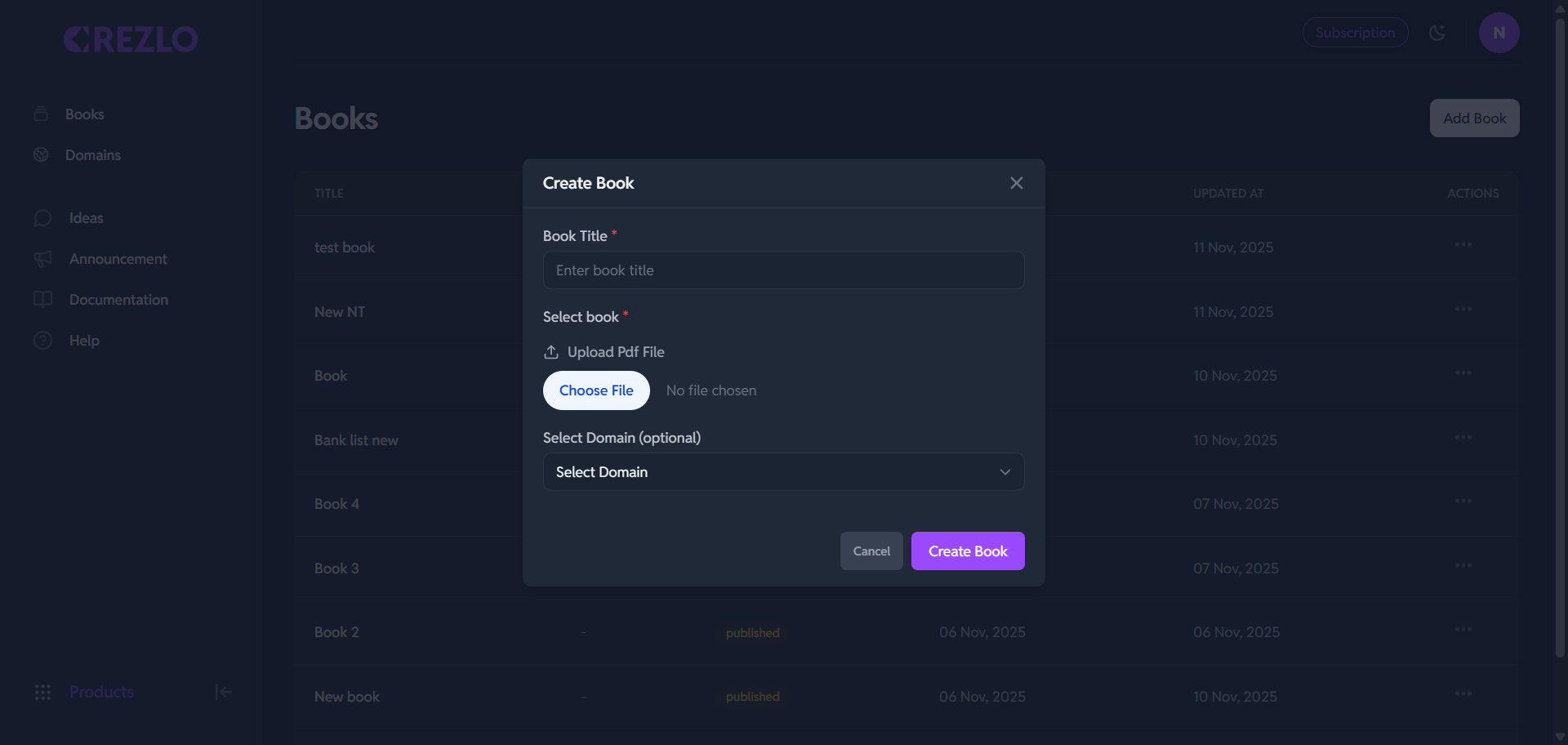
Creating a New Book in Flipbook
This modal allows you to upload a PDF file and set the initial details to create a new digital flipbook.
📖 How to Add a Book and Upload a PDF in Crezlo
Step 1: Start the "Create Book" Process
-
Click the Add Book button located at the top-right corner of the Books page.
-
A pop-up window titled Create Book will appear.
Step 2: Fill in the Book Details
-
Book Title: In the "Create Book" window, enter the name you want for your flipbook in the field labeled "Book Title" (e.g., "Company Brochure 2025" or "Product Catalog").
-
Upload PDF File:
-
Click the "Choose File" button under the "Select Book*" section.
-
This will open your computer's file explorer. Navigate to the location of your PDF file, select it, and click Open.
-
The file name will then appear next to the "Choose File" button, confirming the selection.
-
-
Select Domain (Optional):
- Use the dropdown menu under "Select Domain (optional)" if you want this flipbook to be associated with a specific domain you have configured in Crezlo.
Step 3: Create the Book
- After entering the title and choosing your PDF, click the purple "Create Book" button at the bottom right of the pop-up window.
The Crezlo platform will then process your PDF, convert it into an interactive flipbook, and add it to your list of "Books" on the main dashboard!